Creating a Load Configuration
Prerequisites
You'll need to start by adding at least two devices on the device management page.
You will also need an address for each site within your facility. If you only have one site on your facility, then your site's address is your facilities address. If you enable charger location publishing via OCPI, your chargers will show up at this address.
Load Configuration
Load Balancing Page
Begin by visiting the Load Balancing page.
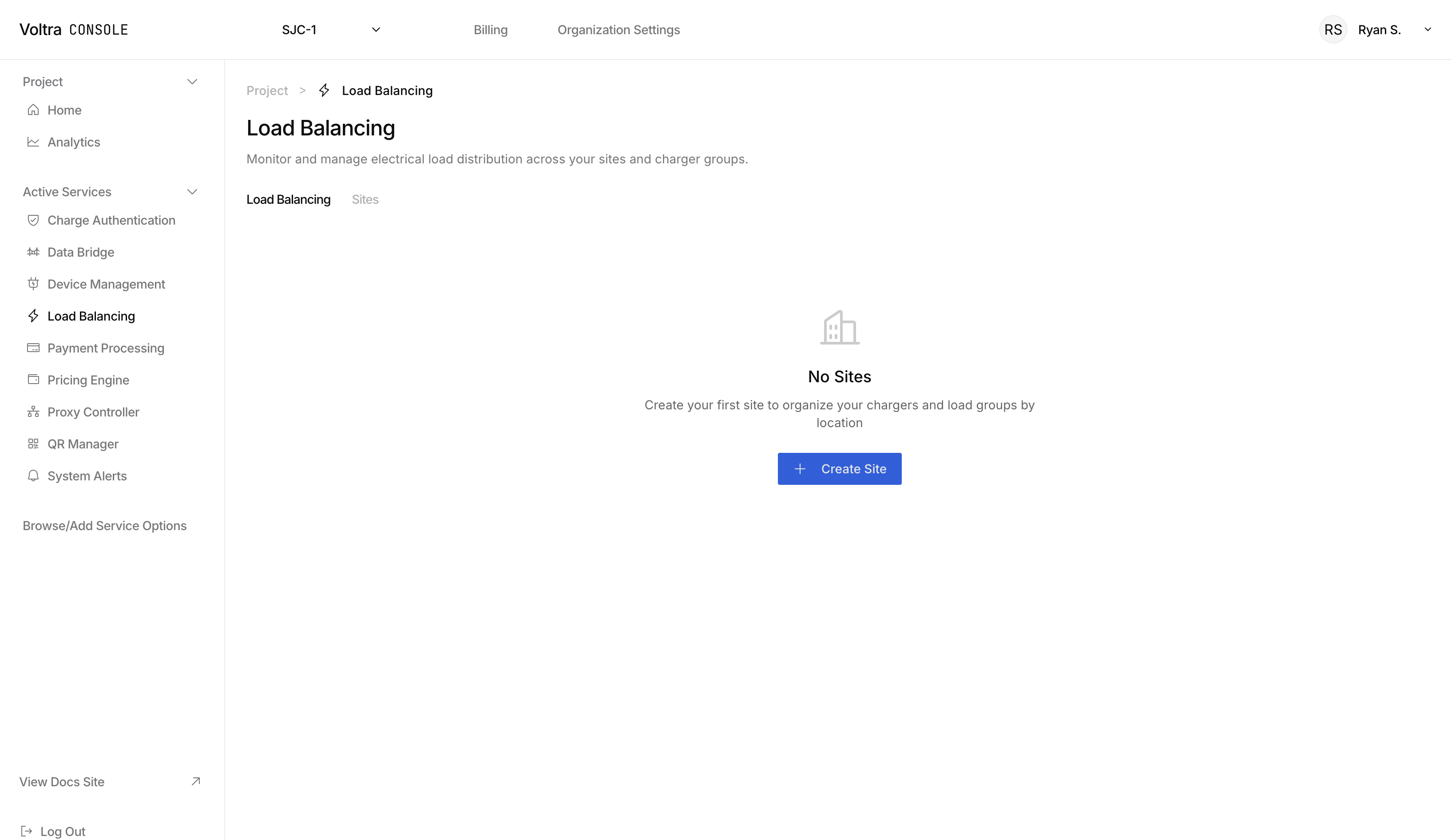
Create a Site
Sites are physical locations within your facility. You will have a chance later to group chargers in each site.
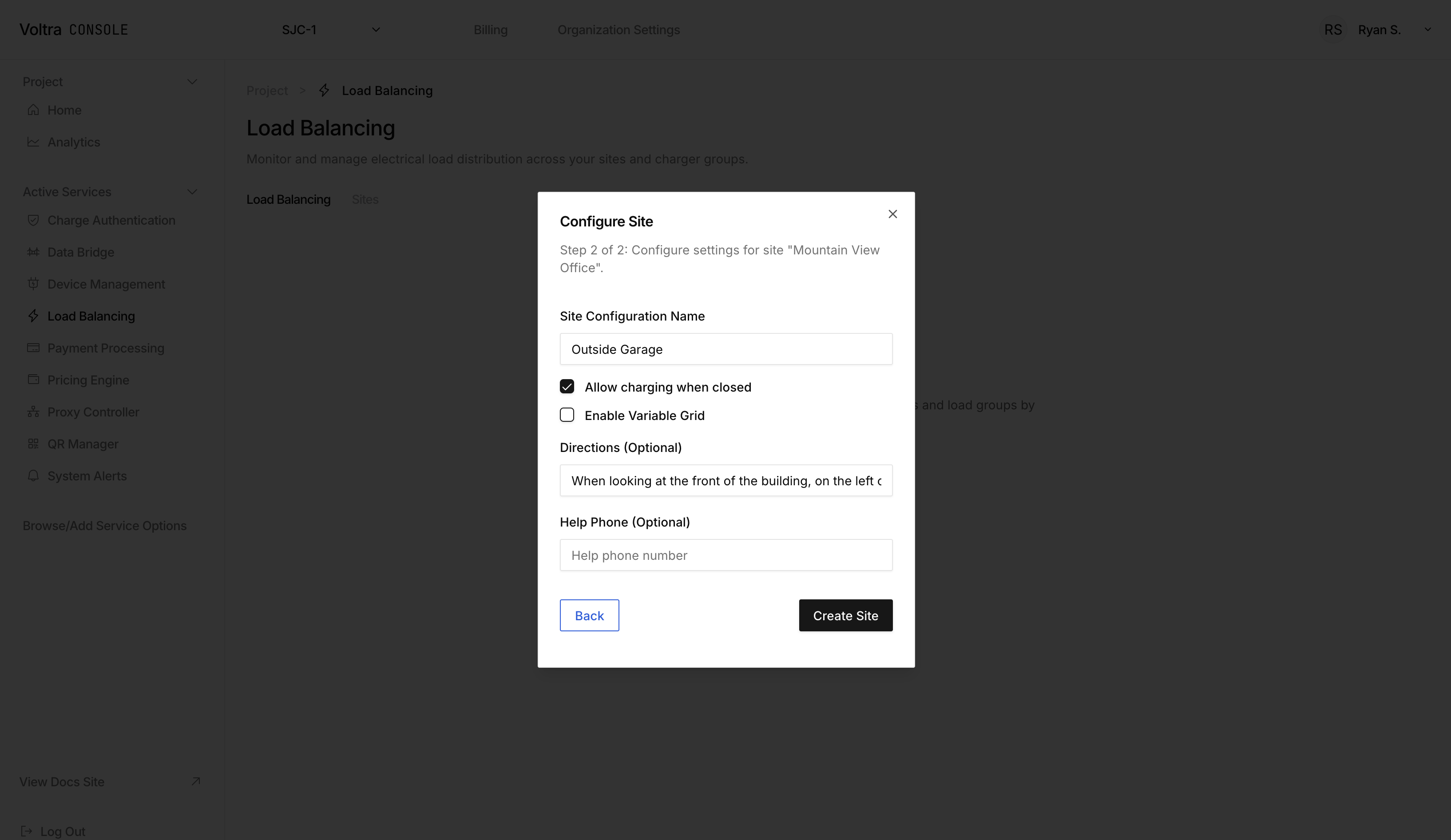
Click on "+ Create Site" to open the site modal and fill in the location and site specific information
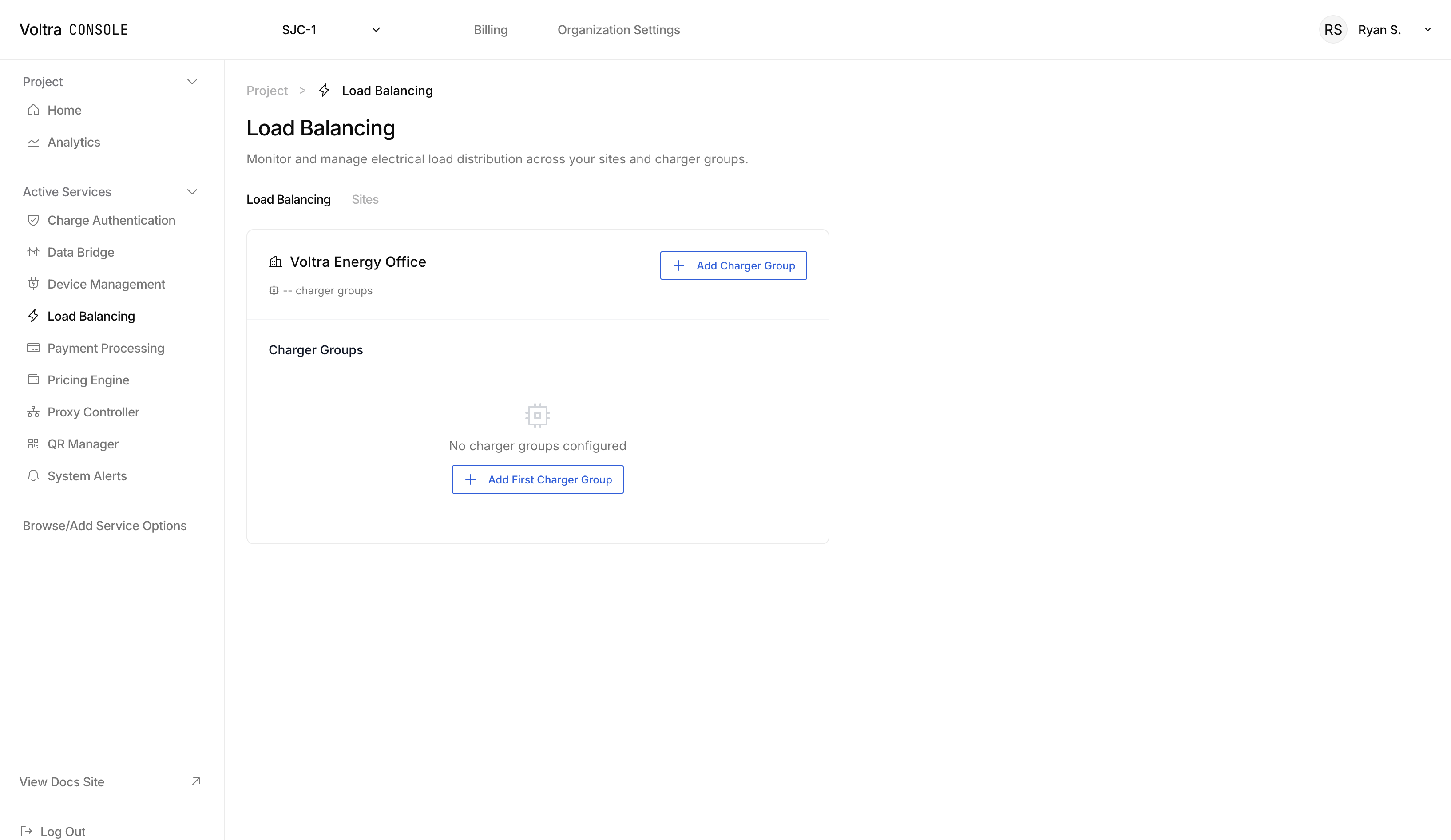
When complete, your site will appear on the Load Balancing page
Add a Charger Group to a Site
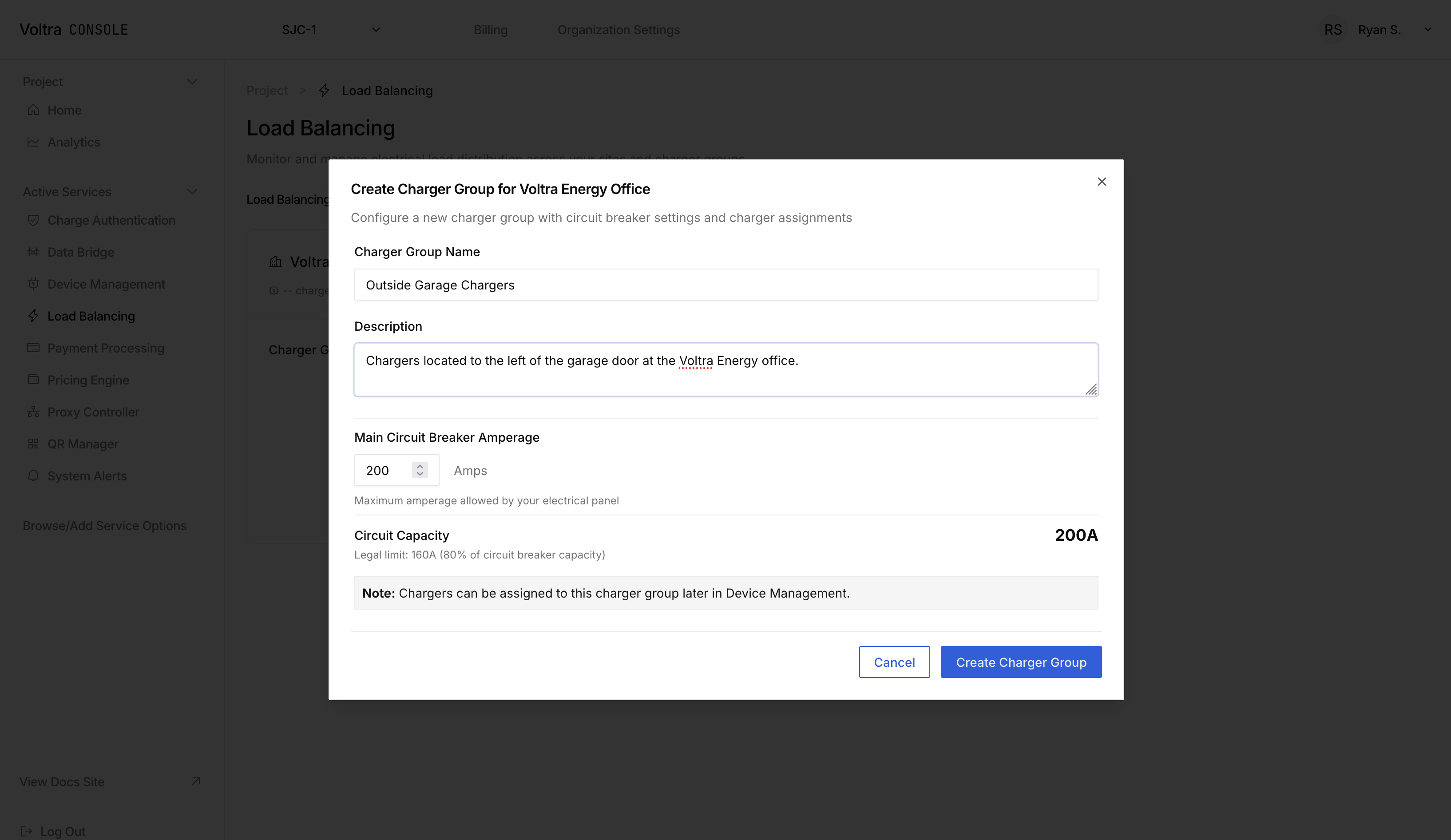
Click on "+ Add Charger Group" to create a charger group that you want to load balance.
Assign Chargers to Charger Group
After creating a charger group, click on the charger group and a sidebar will open. Click on "+ Add Charger" in the side bar to add chargers to the group.
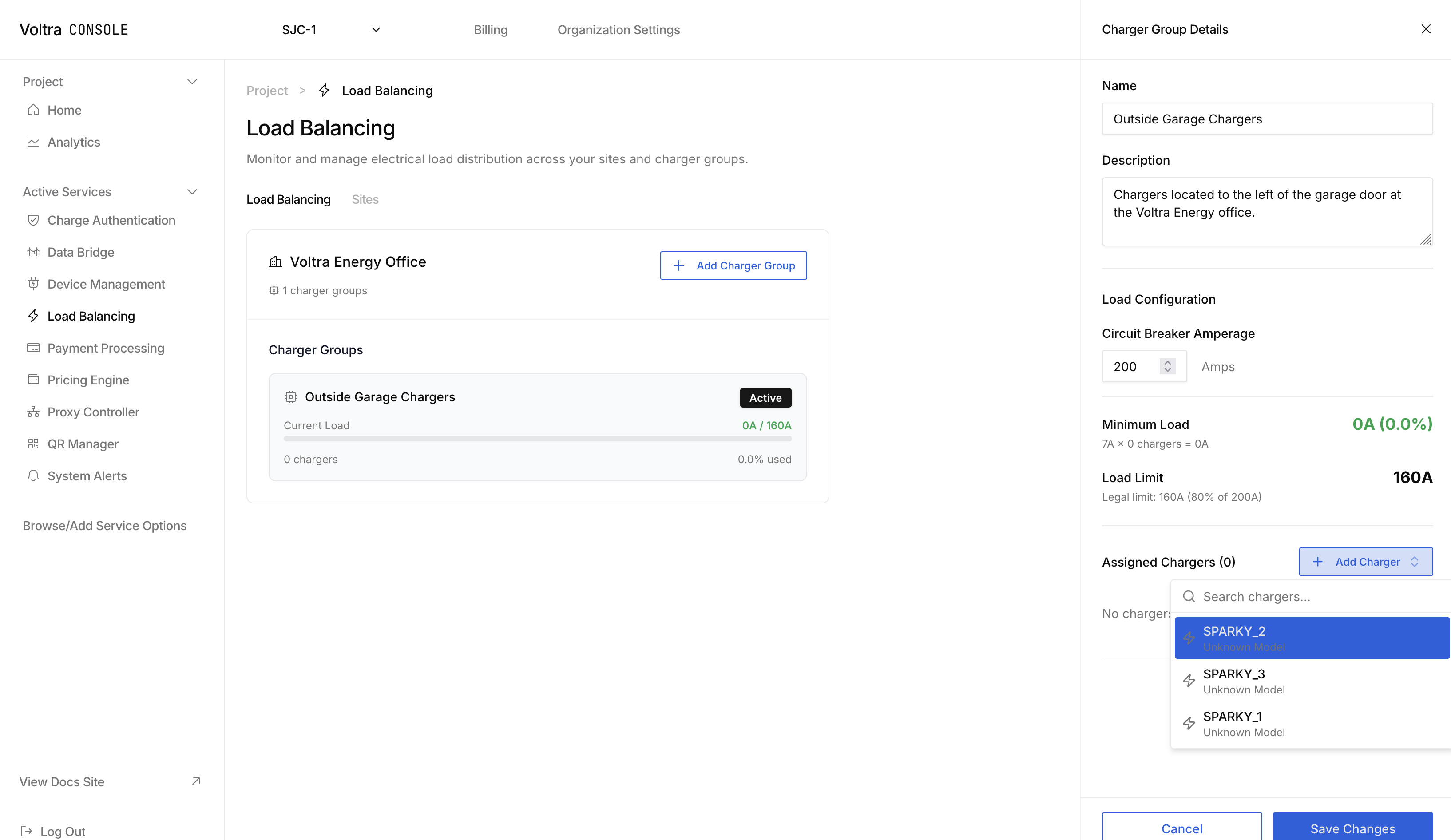
The load strategy and any load strategy parameters can be configured from this sidebar.
Next Steps
Investigate the load management strategy that is right for you and your fleet at Load Group Strategies.