Adding a Device
The first step to using Voltra's Connected Energy Cloud is to add a device.
Device Management Page
The Device Management page is the home of adding any device.
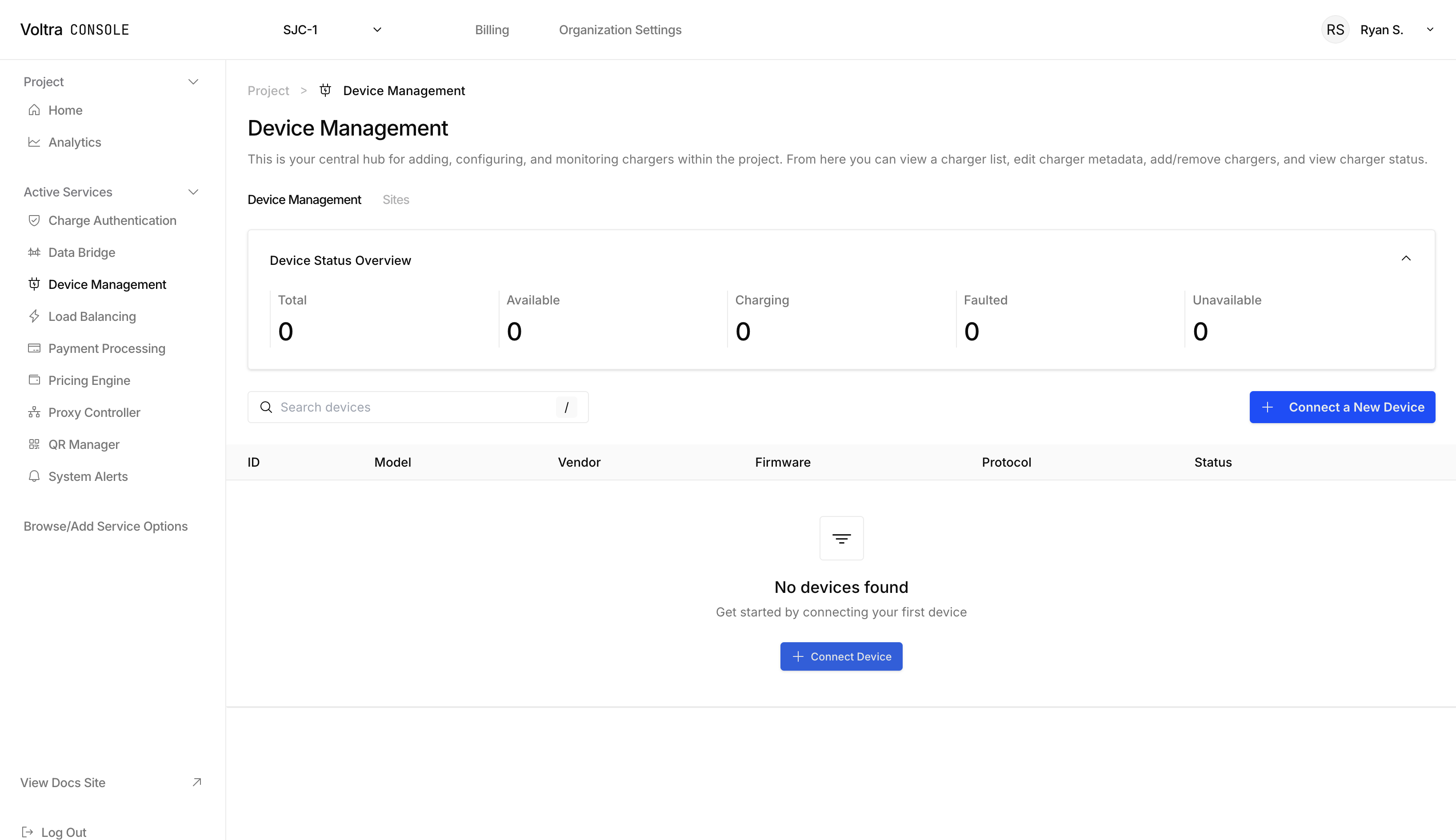
Add Your Device
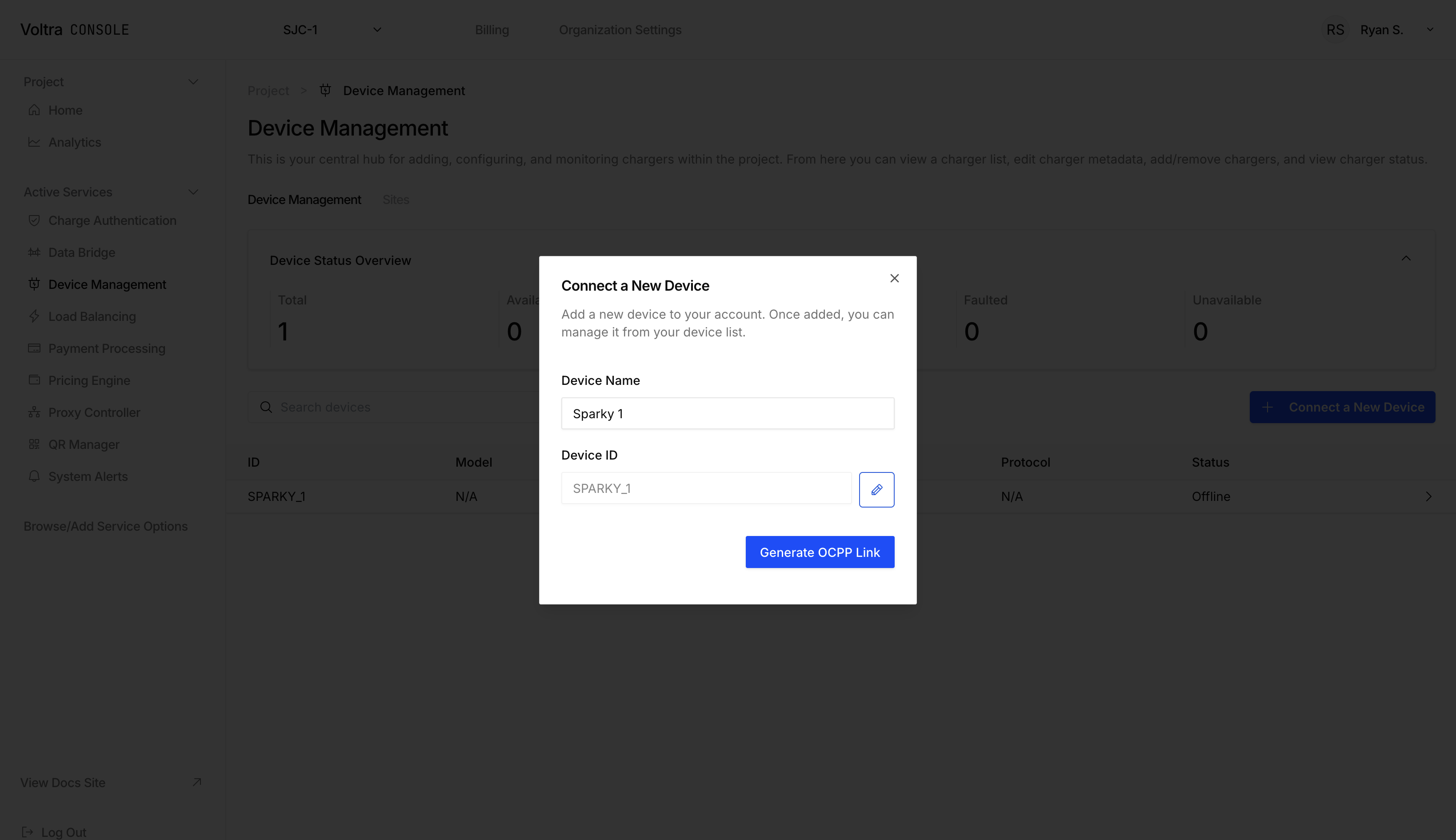
Click on the "+ Connect New Device" button to open up the "Connect New Device" modal. Fill in the required information associated with your device.
EV Chargers
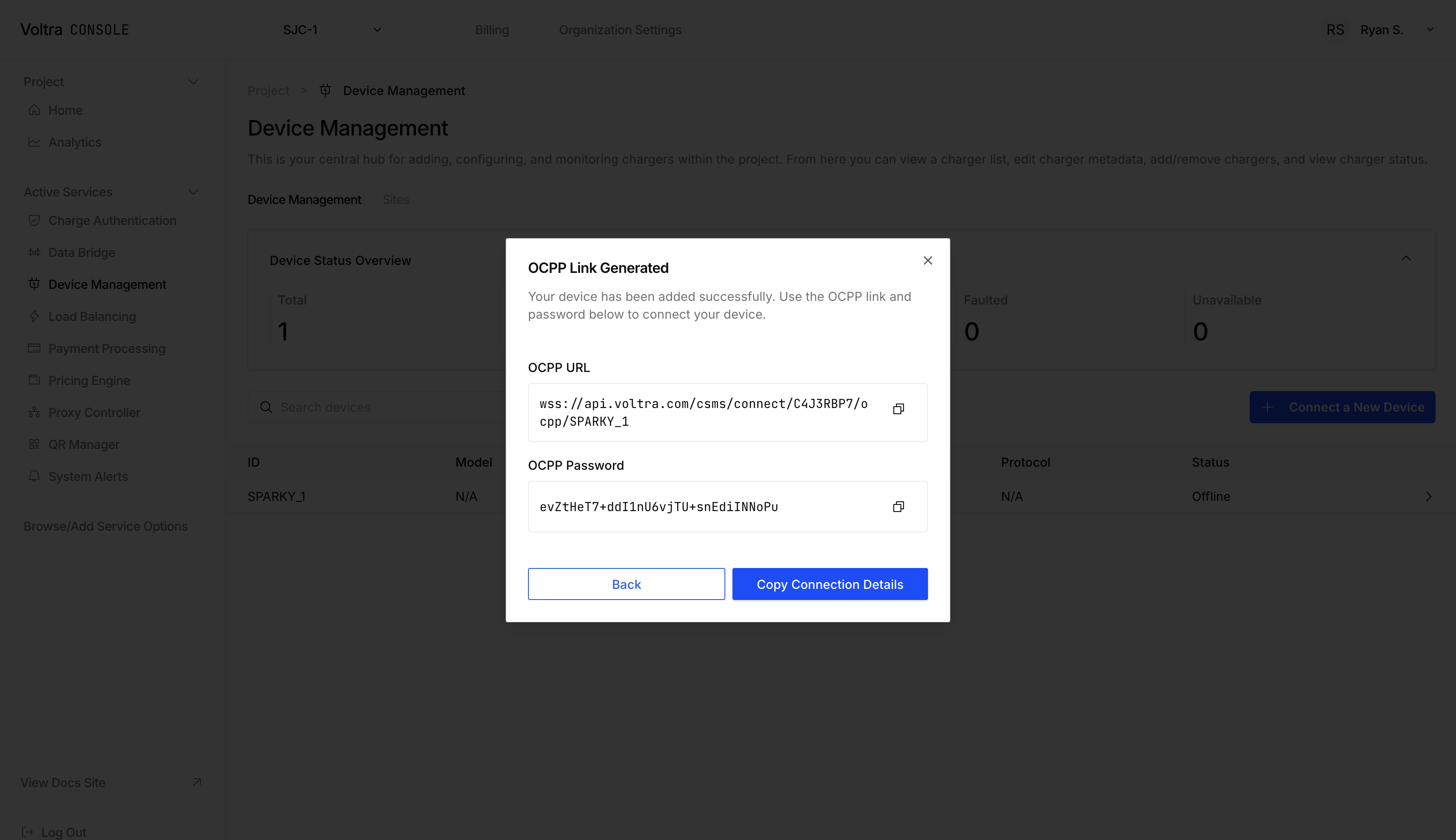
When connecting an EV Charger, the "Connect New Device" modal will generate an OCPP link and password for you to enter into your EV's software.
More Resources
Once you've added a device consider:
- Connecting a payment provider to your project and assigning a pricing policy to a charger to begin accepting payments on your charger.
- Assigning a QR Code to get started with our white-labeled payment portal.
- Adding authorization policies to authorize or deny vehicles in your fleet, residents of your complex or employees at your office.