Creating A Pricing Policy
Pricing policies are the fundamental data model for setting users the price. Begin by visiting the Pricing Engine page.
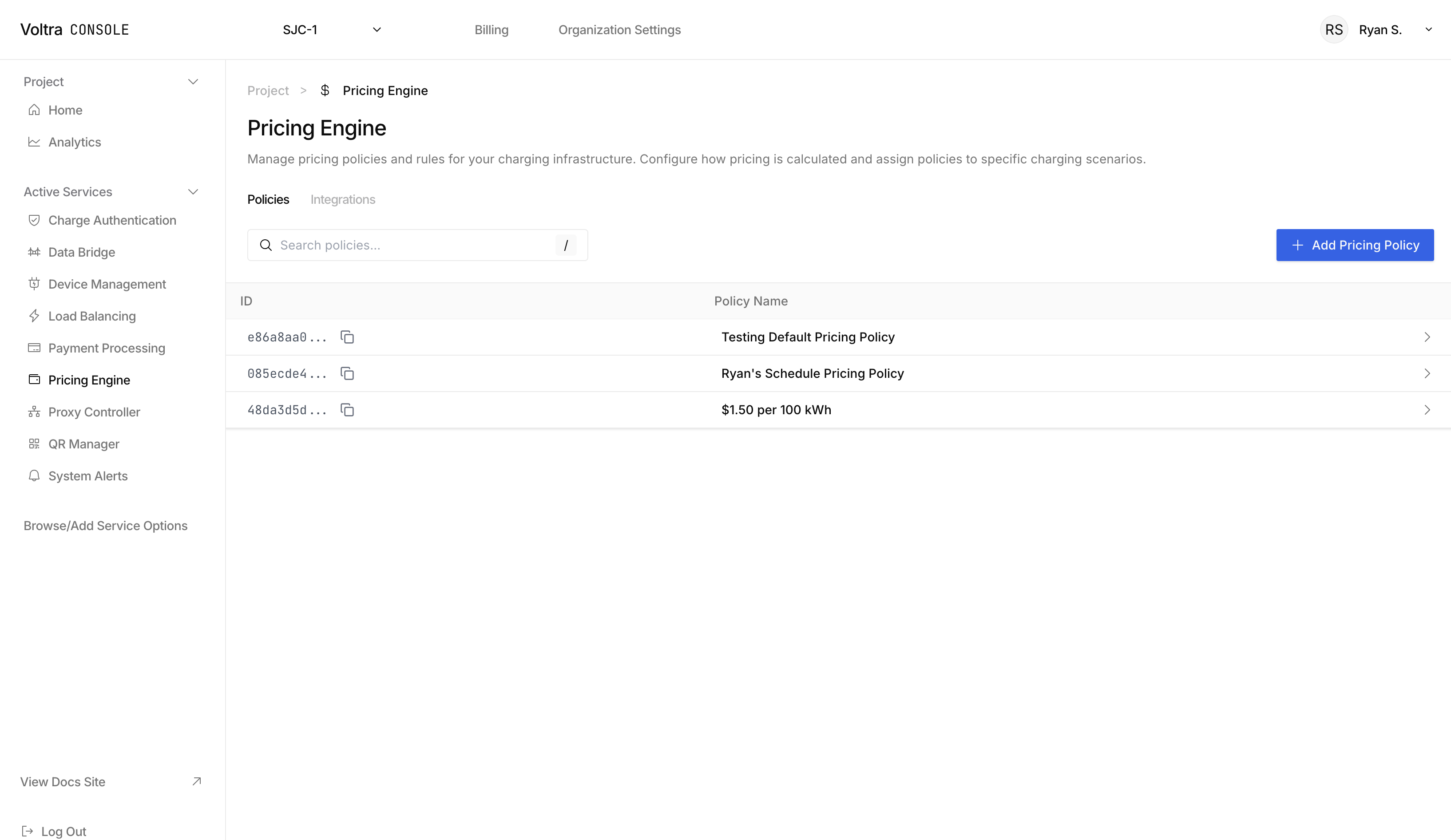
Click on the "+ Add Pricing Policy" button to open the "Create New Pricing Policy Modal". You can create complex policies to suit your pricing needs.
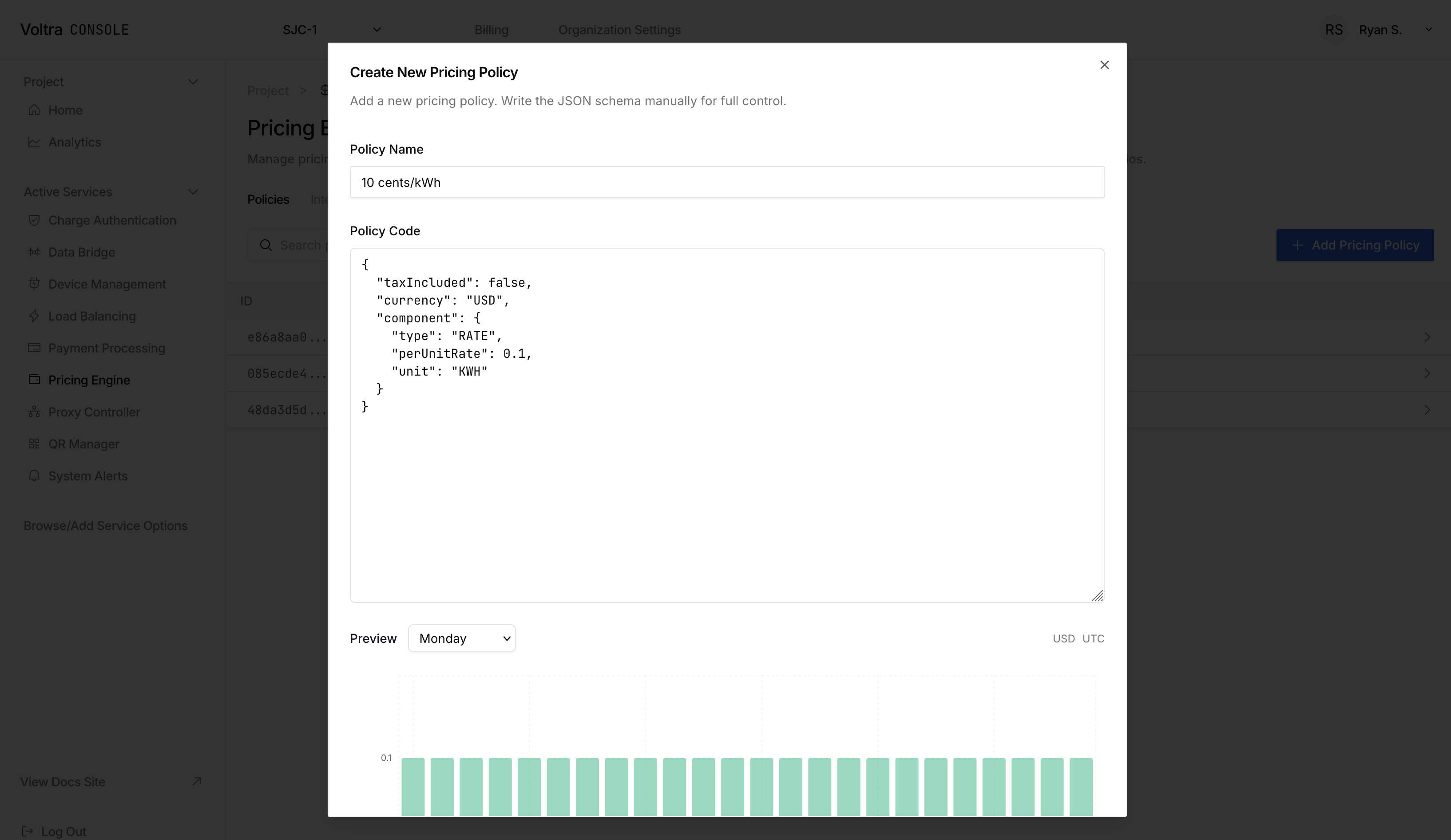
Below are some example pricing policies you can create:
Flat Pricing Policy
{
  "currency": "USD",
  "component": {
    "type": "FLAT",
    "amount": 5,
    "description": "Base fee"
  },
  "taxIncluded": false
}
KWh Rate Pricing Policy
{
  "taxIncluded": false,
  "currency": "USD",
  "component": {
    "type": "RATE",
    "perUnitRate": 0.1,
    "unit": "KWH"
  }
}
Minute Rate Pricing Policy
{
  "currency": "USD",
  "component": {
    "type": "RATE",
    "unit": "MINUTE",
    "perUnitRate": 0.1
  },
  "taxIncluded": true
}
Schedule Based Pricing Policies
Use each of the components listed above to create a schedule based pricing policy. Use the below as a references for what you can create:
{
  "currency": "USD",
  "fallback": {
    "type": "FLAT",
    "amount": 3,
    "description": "Default fallback fee"
  },
  "timezone": "America/Los_Angeles",
  "schedules": [
    {
      "endTime": "17:00",
      "component": {
        "type": "RATE",
        "unit": "KWH",
        "description": "Rate per KWH",
        "perUnitRate": 1.5
      },
      "startTime": "09:00",
      "daysOfWeek": [
        "MONDAY",
        "TUESDAY",
        "WEDNESDAY",
        "THURSDAY",
        "FRIDAY"
      ]
    },
    {
      "endTime": "18:00",
      "component": {
        "type": "FLAT",
        "amount": 5,
        "description": "Base fee"
      },
      "startTime": "06:00",
      "daysOfWeek": [
        "SATURDAY",
        "SUNDAY"
      ]
    }
  ],
  "taxIncluded": true
}
Caveats
Time Ranges
Each time range of a pricing policy cannot span past midnight. This is so that we can be consistent and clear for not only creating pricing policies, but displaying prices to your users.
Assigning a Pricing Policy to a Charger
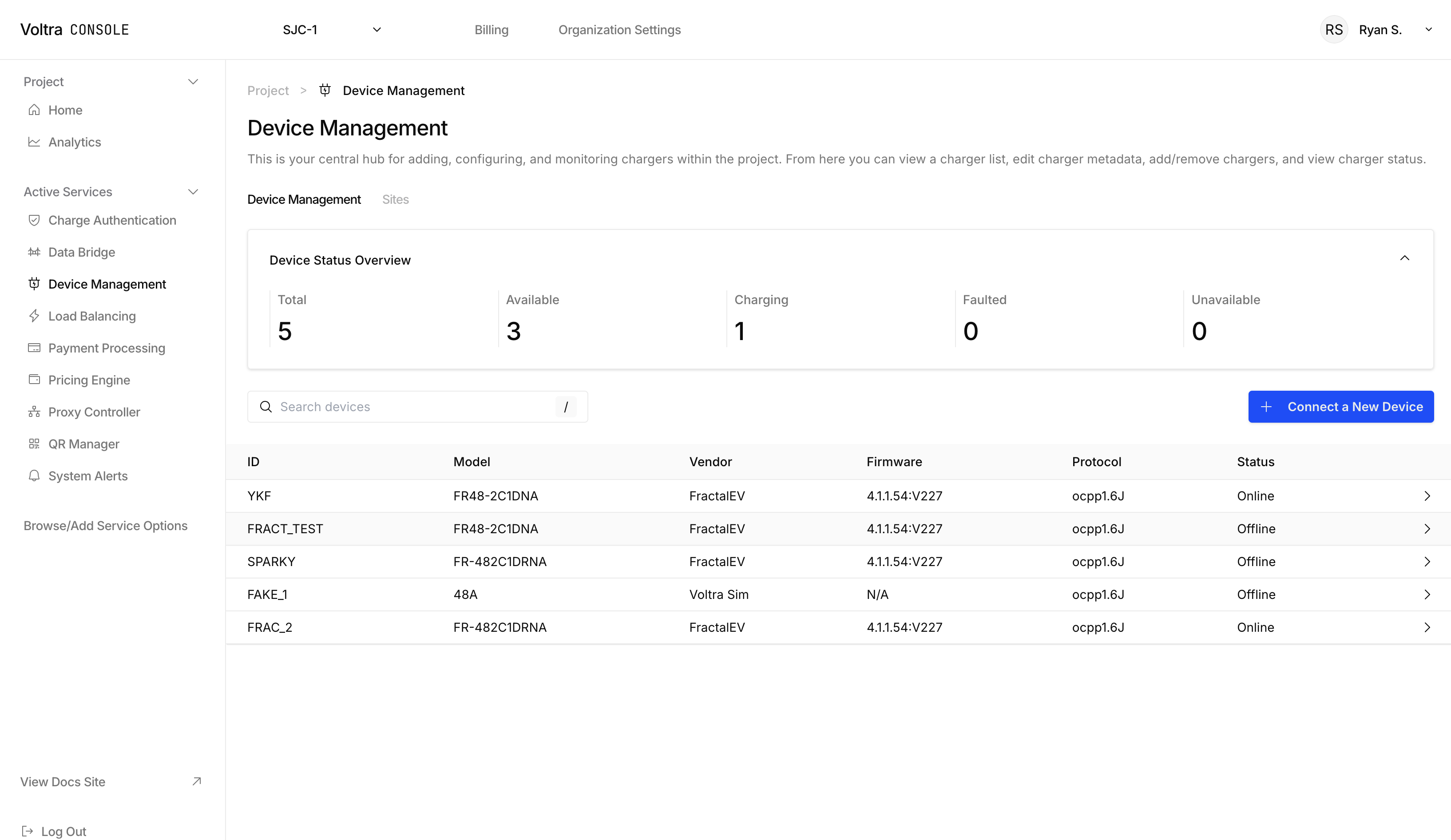
Visit the Device Management Page.
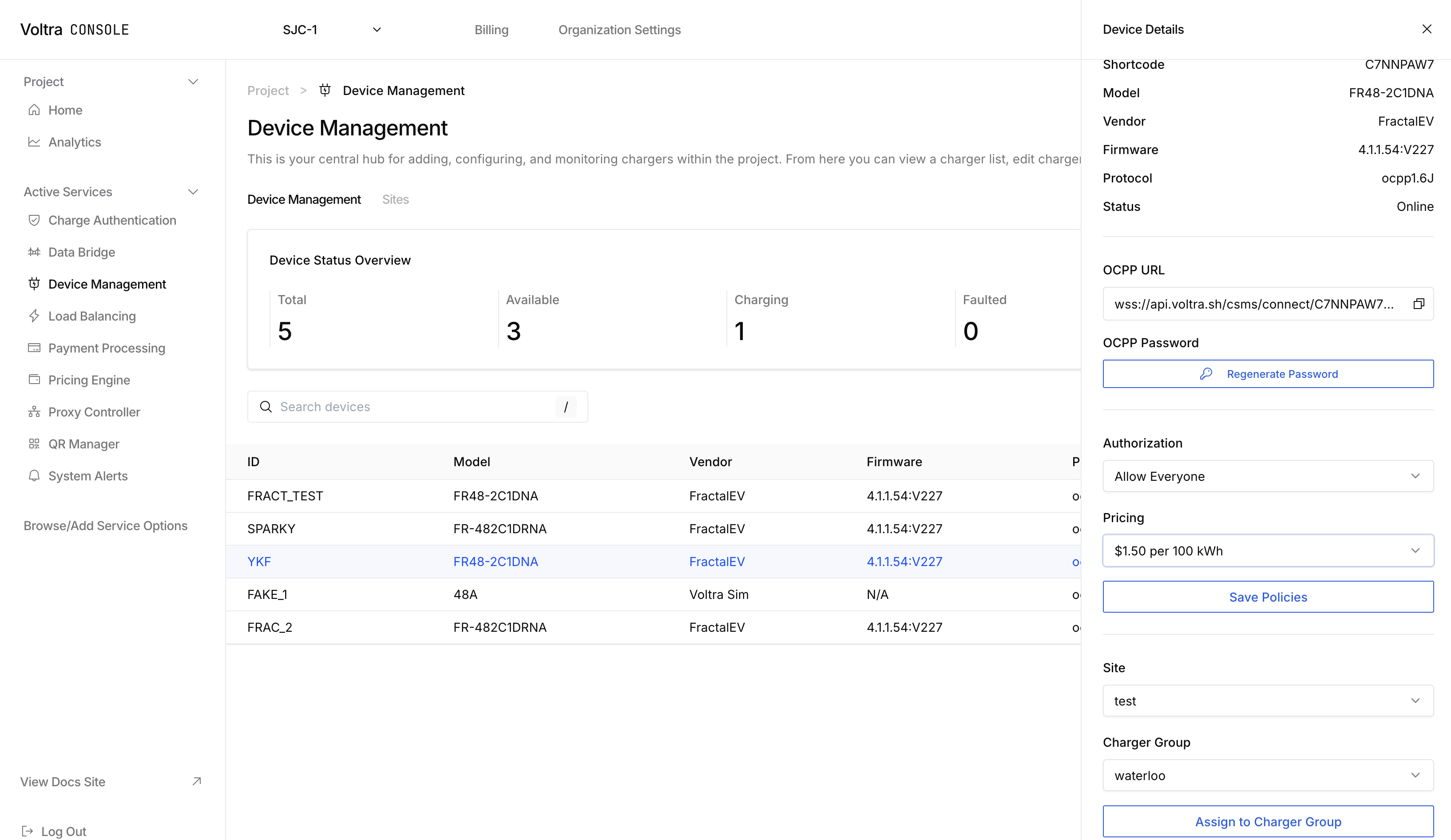
Click on the charger you want to assign the pricing policy to. There is a "Pricing" dropdown where you can select the pricing policy you created. After selecting the pricing policy, click on "Save Policies" to save the pricing policy.
Further Customization
Need a different pricing strategy? Trying to pull in data like energy prices into your pricing policy? Contact hello@voltra.com for special inquiries.