Invite Users
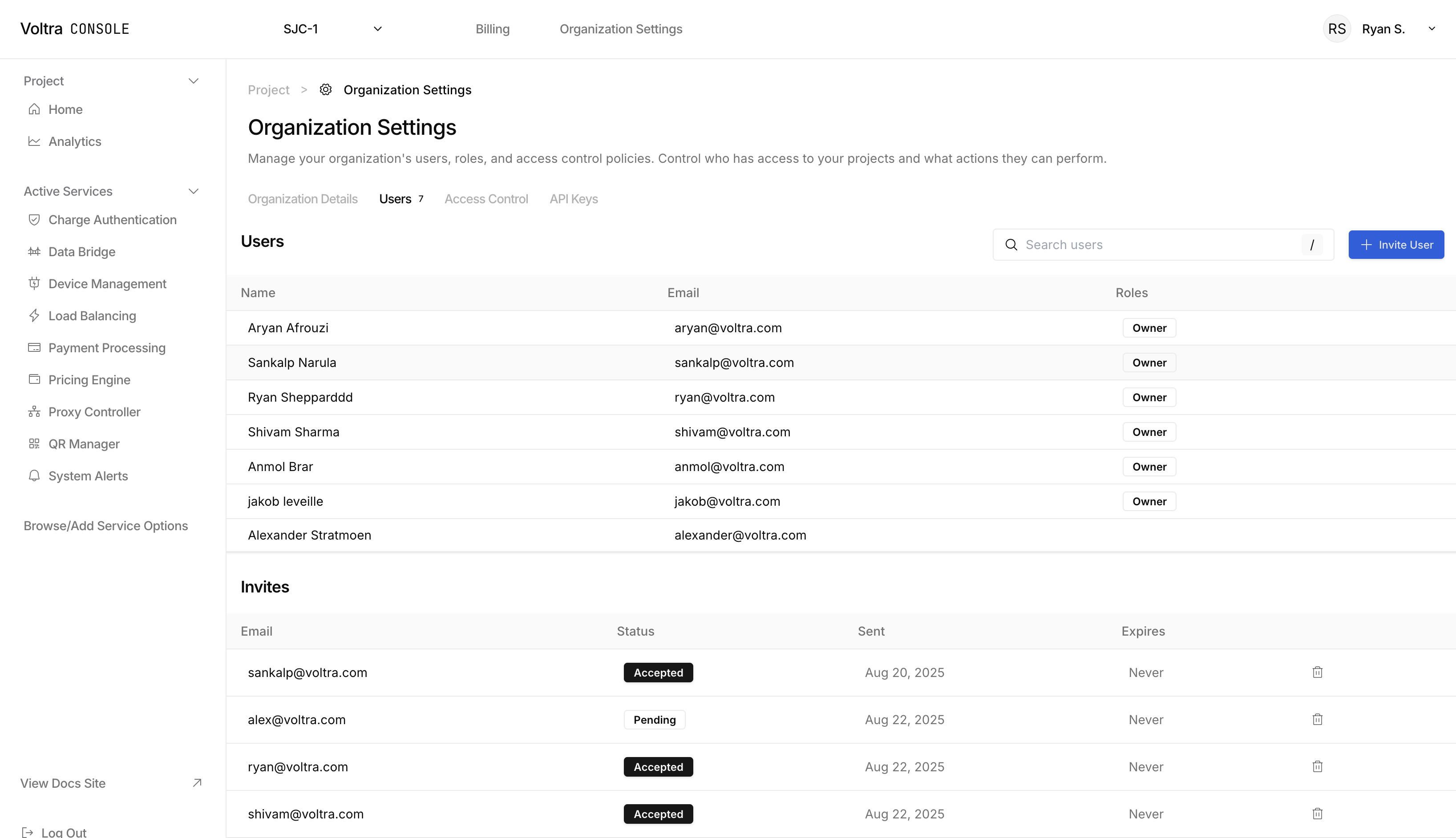
Begin by visiting your Organization Settings page located in the header of VCEC, then click on the "Users" tab. Alternatively, you can click on here to be directly linked to the users page.
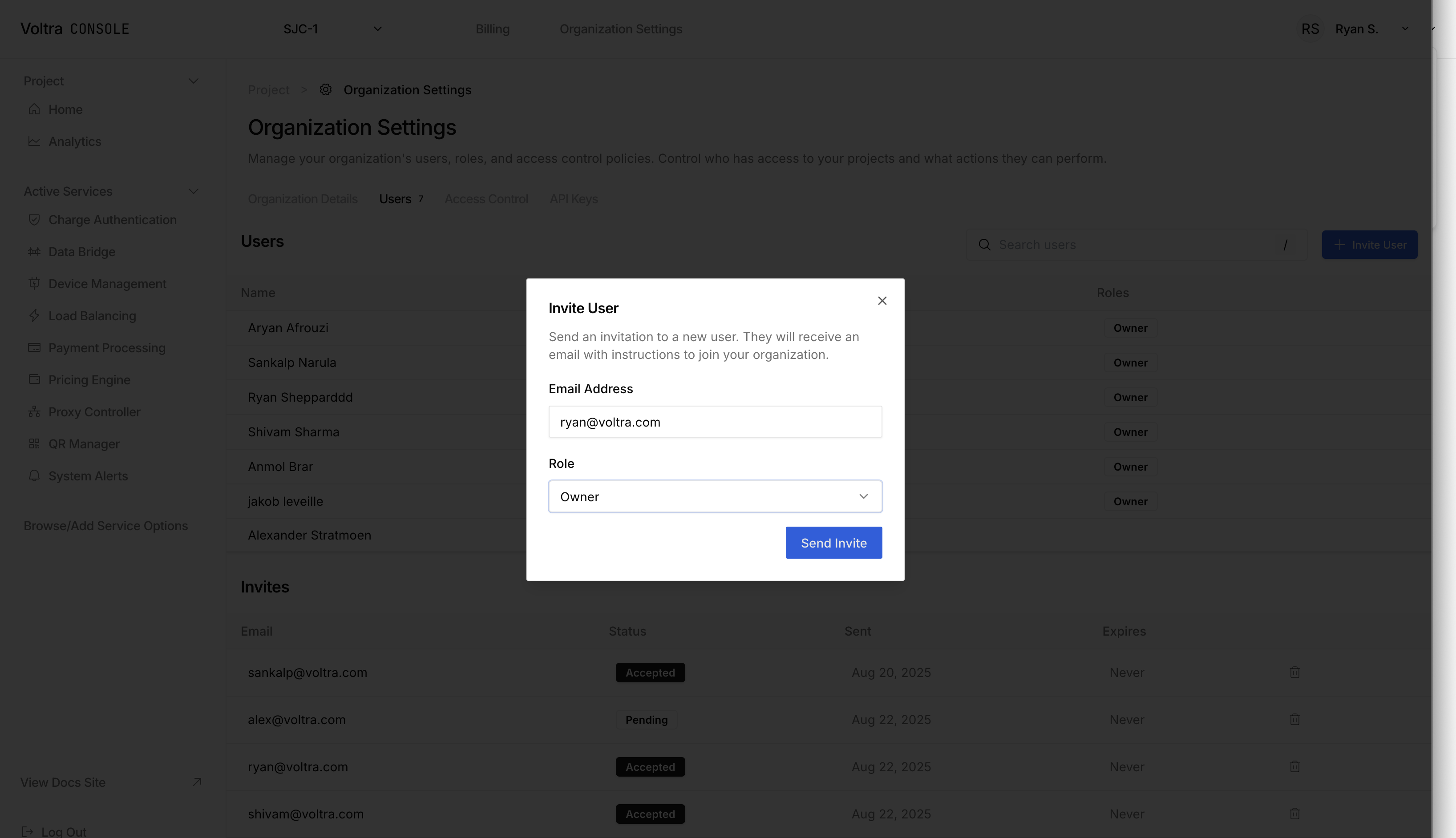
Click on "+ Invite User" button to open the "Invite User" modal. The user you are inviting will receive an email with a link asking them to Sign Up or visit the Welcome page to accept their invite.
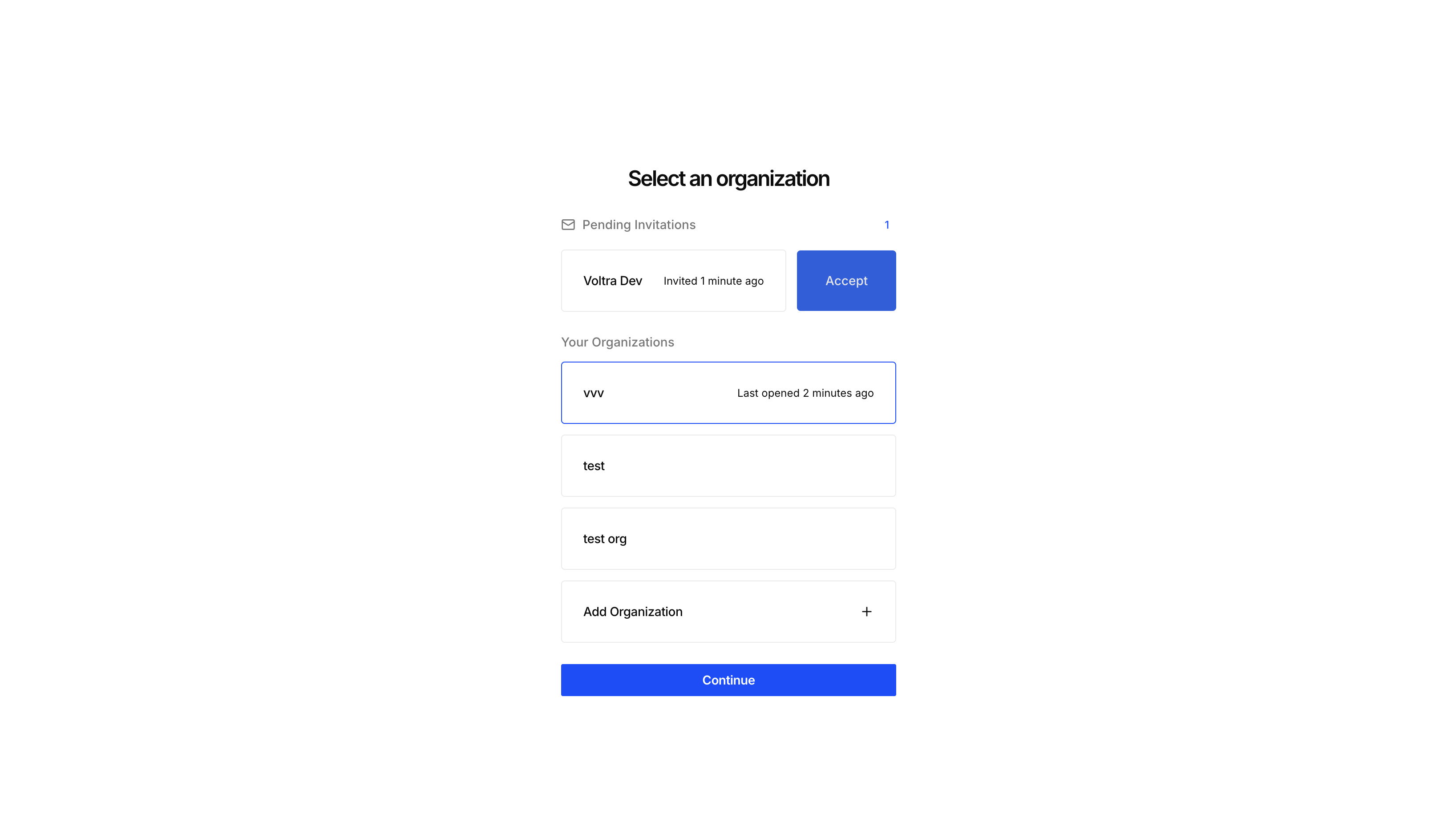
This is what an invite looks like on the other user's end.